 Glass Project
Glass Project
MacProject Pro, back on the Mac.
Open the schedules you made in MacProject Pro all those years ago. Change them with the same menus, keys and mouse moves. Save them again, as a Glass Project document or as a file MacProject Pro itself can still open.
Free · macOS 15 or later · Apple silicon and Intel · opens MacProject Pro 1.5 files · no account, no network, no telemetry

What it looks like
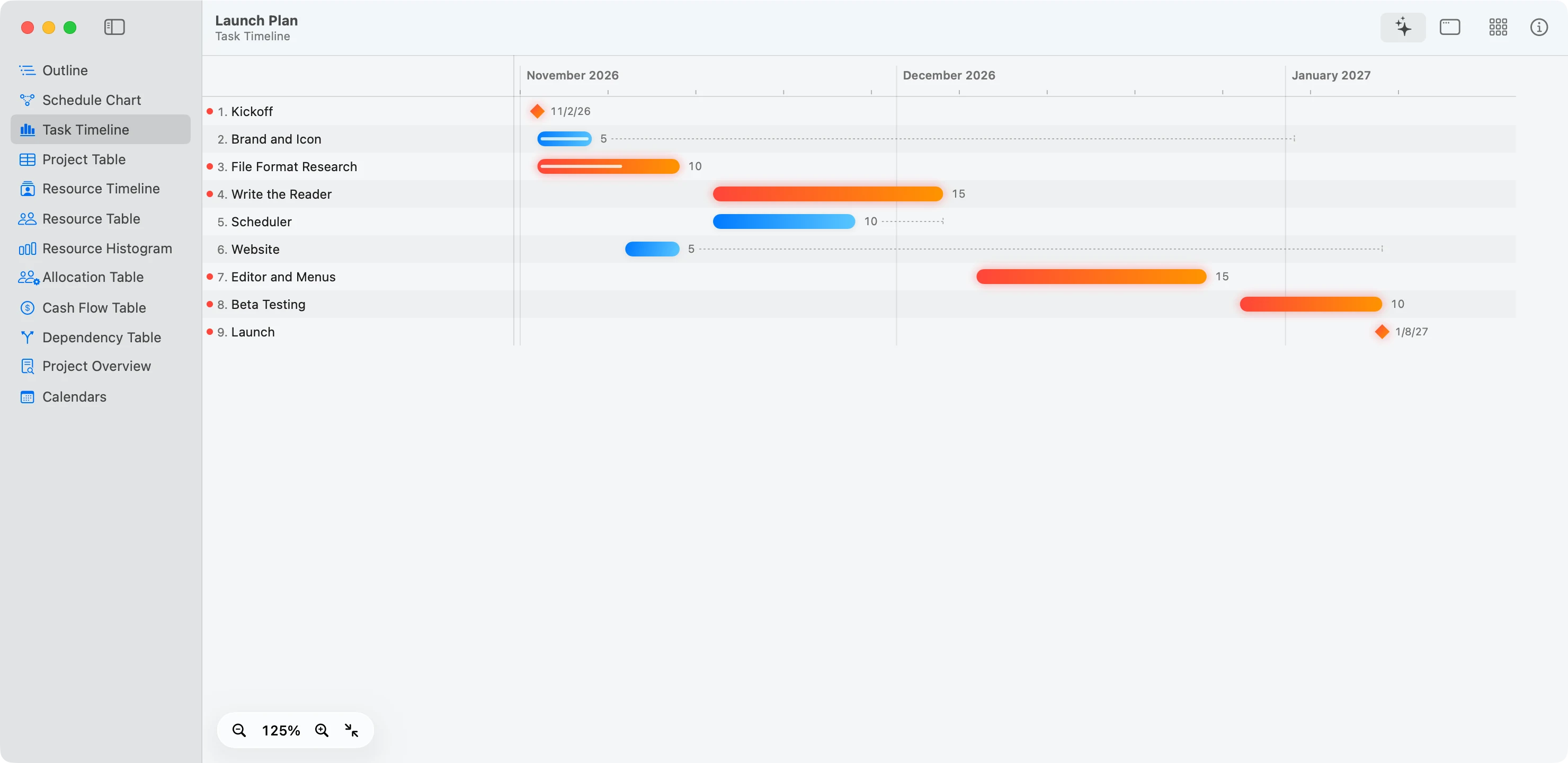
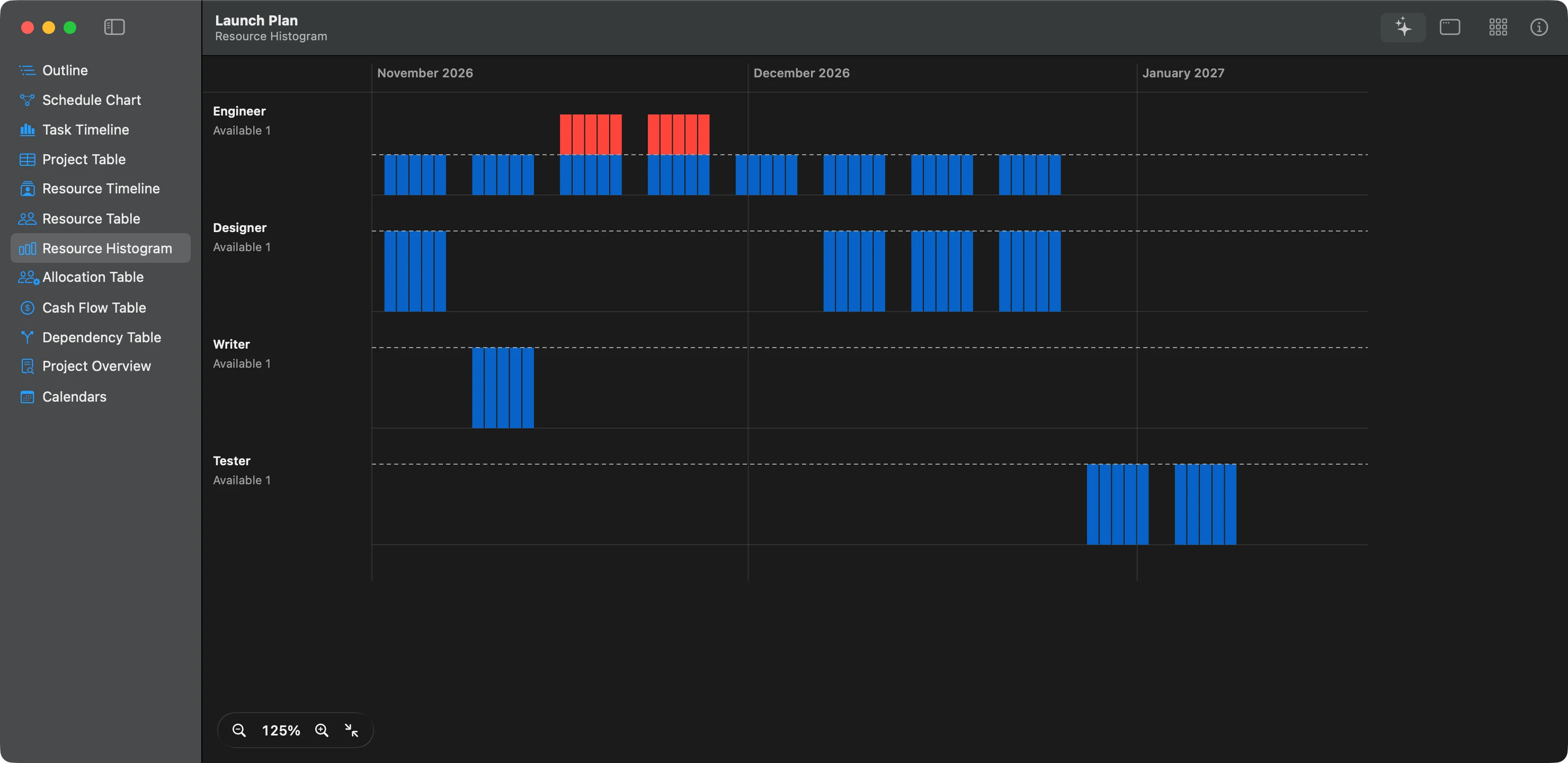
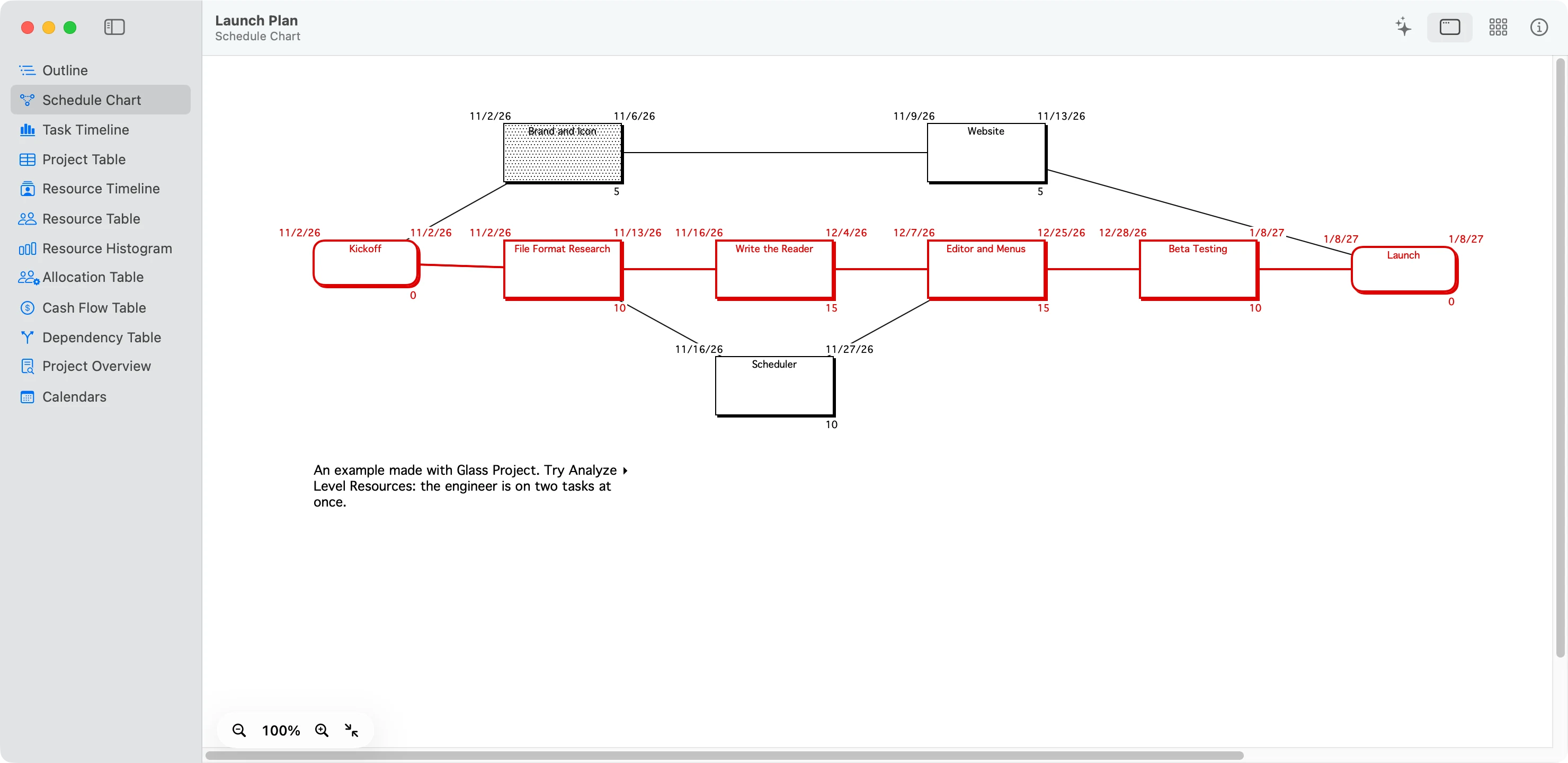
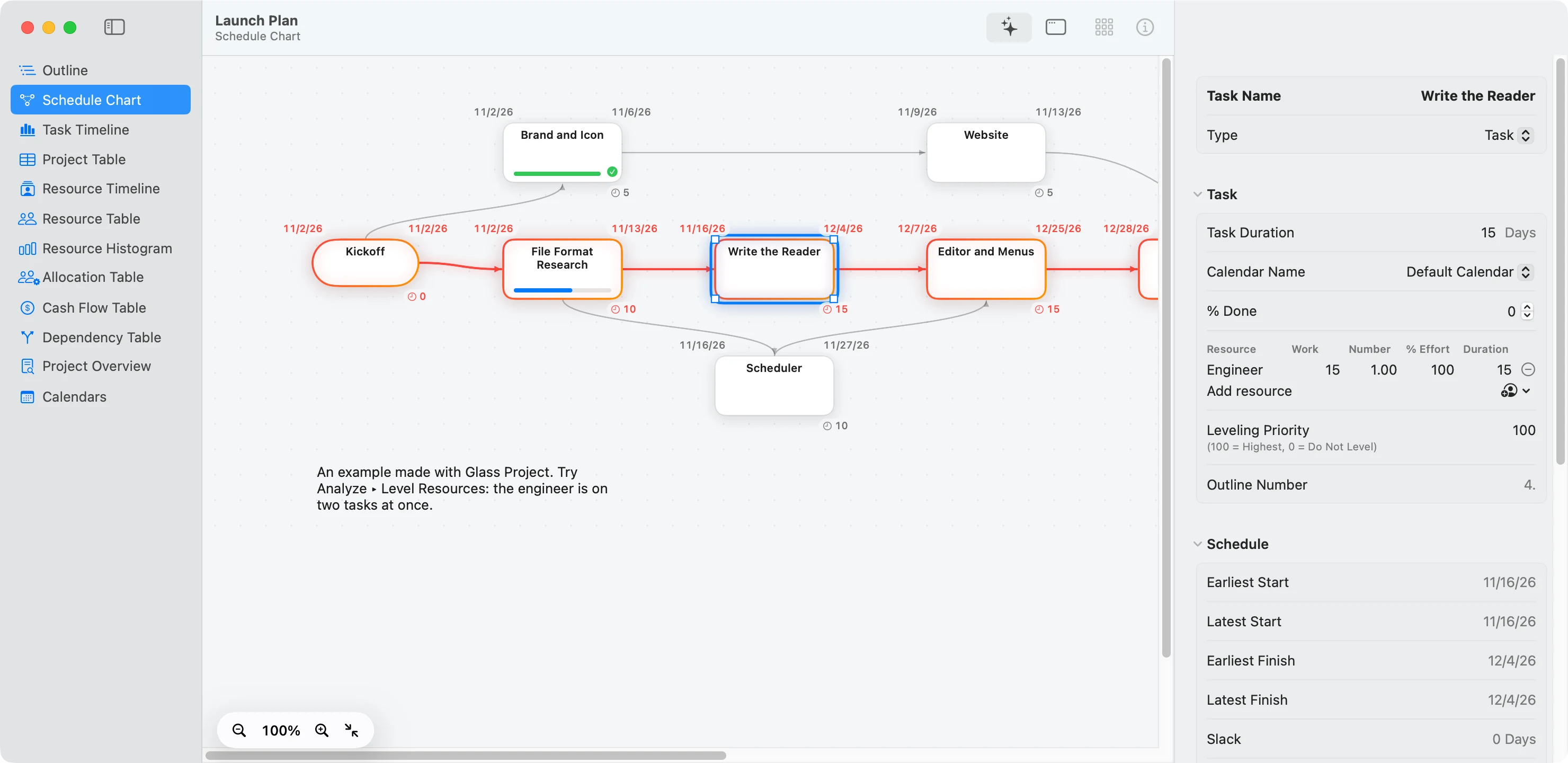
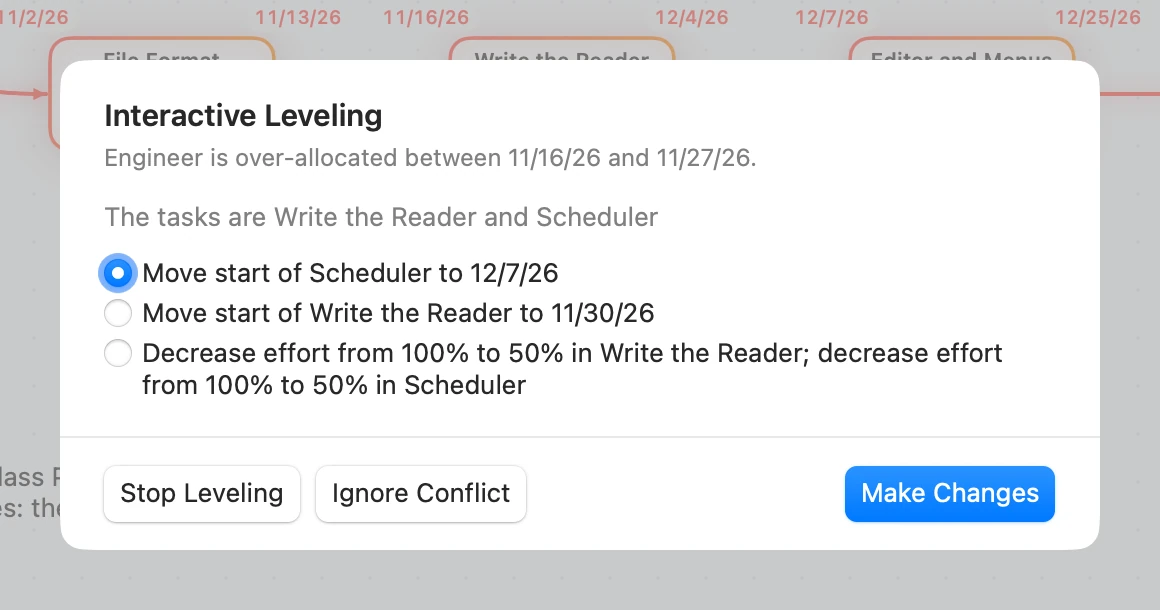
Level Resources (⌘ L) works through each over-booked resource and offers the choices MacProject Pro’s leveler would have offered, in the same order. You pick one, or let it decide.
How it works
-
It reads the original file
MacProject Pro 1.5 kept everything in one file of linked records, and Glass Project reads those records directly. All 31 projects and Perspectives that shipped with MacProject Pro decode down to the last byte. That includes their pictures, which Glass Project draws with a QuickDraw player of its own, since macOS stopped drawing them long ago.
-
It calculates the way MacProject Pro did
It handles work calendars down to the half hour, along with constraints, lags, actual dates and the critical path. When Glass Project recalculates MacProject Pro’s own samples, it arrives at the dates MacProject Pro stored for 618 of their 619 tasks, and the costs it stored for all 902 resource assignments.
-
Your hands already know it
The menus are MacProject Pro’s, item for item, with the same command keys: ⌘ = to calculate, ⌘ M for a milestone, ⌘ - for the Tools palette. Drag in empty space to draw a task. Drag out of one box onto another to link them. All the shortcuts.
-
It saves both ways
As a Glass Project document, or in MacProject Pro’s own format with Save As. Files saved in that format were opened in MacProject Pro 1.5, running under emulation, to check that it accepts them.
Your old files stay as they are
A MacProject Pro file opens as a copy with the same name. Nothing is written back to it. When you save, Glass Project asks where to put the new document, and the original stays exactly as it was.
Files copied off an old Mac often lose the hidden type that told the Finder what they were, and they never had an extension. Glass Project looks at what’s inside rather than at the name, so choose the file in File ▸ Open and it will know.
What leaves your Mac
Nothing. Glass Project makes no network connections at all: no update check, no analytics, no account, no server. Your projects go only where you save them.
Glass Project keeps one preference: the look you chose. Its documents are plain JSON, and their format is in the source, so you can read them without the app.
What it asks of you
- A Mac on macOS 15 or later, Apple silicon or Intel. On macOS 26 and later its icon is drawn in Liquid Glass.
- About 16 MB of disk space.
- Nothing to sign up for, and nothing to pay.
- Some patience with the rough edges. It reads MacProject Pro 1.5 files; older MacProject II files don’t open yet, and a few stored details are still unnamed. The research pages say exactly what is and isn’t known.
Leaving is easy
Quit Glass Project and drag it to the Trash. It leaves behind a preference file, and macOS may keep a note of its window positions. The Help page says where to find both.
Your projects are yours. Saved as MacProject Pro files, they open in MacProject Pro again. Export the charts as PDF or the tasks as a spreadsheet, and they open anywhere.
Who made this, and why
Glass Project is written by Michael Sitarzewski, working with an AI coding assistant, Claude. It began as research: how did a 1990s Mac program store a project, and how did it calculate one? The answers are written down so the files people made with it can be opened again.
It isn’t affiliated with Claris or Apple. MacProject and MacProject Pro are trademarks of their owners. Glass Project earns nothing and asks for nothing. Its licence lets anyone use it for anything, at home or at work, and anyone may change it and share it. The one thing it rules out is selling it, or a version of it.
Check it yourself
- Read the research: the file format record by record, the scheduling rules, the leveler, the menus. Each finding says where it came from, and anything inferred is marked as a guess.
- Watch its connections with Little Snitch or LuLu: there aren’t any.
- Build it from the source with Xcode. It needs no account, no certificate and nothing else to download.
This page has tried to say plainly what Glass Project does and what it doesn’t. If you have MacProject files waiting in an old folder, it’s one way to open them again. If you don’t, nothing here needs you. The research is there either way.